
API Authentication Explained: JWT vs OAuth 2.0 vs API Keys
JWT, OAuth 2.0 and API keys solve different problems. Here is what each one is, when to use it, and how we combine all three in the Laravel and Next.js platform we build client projects on.
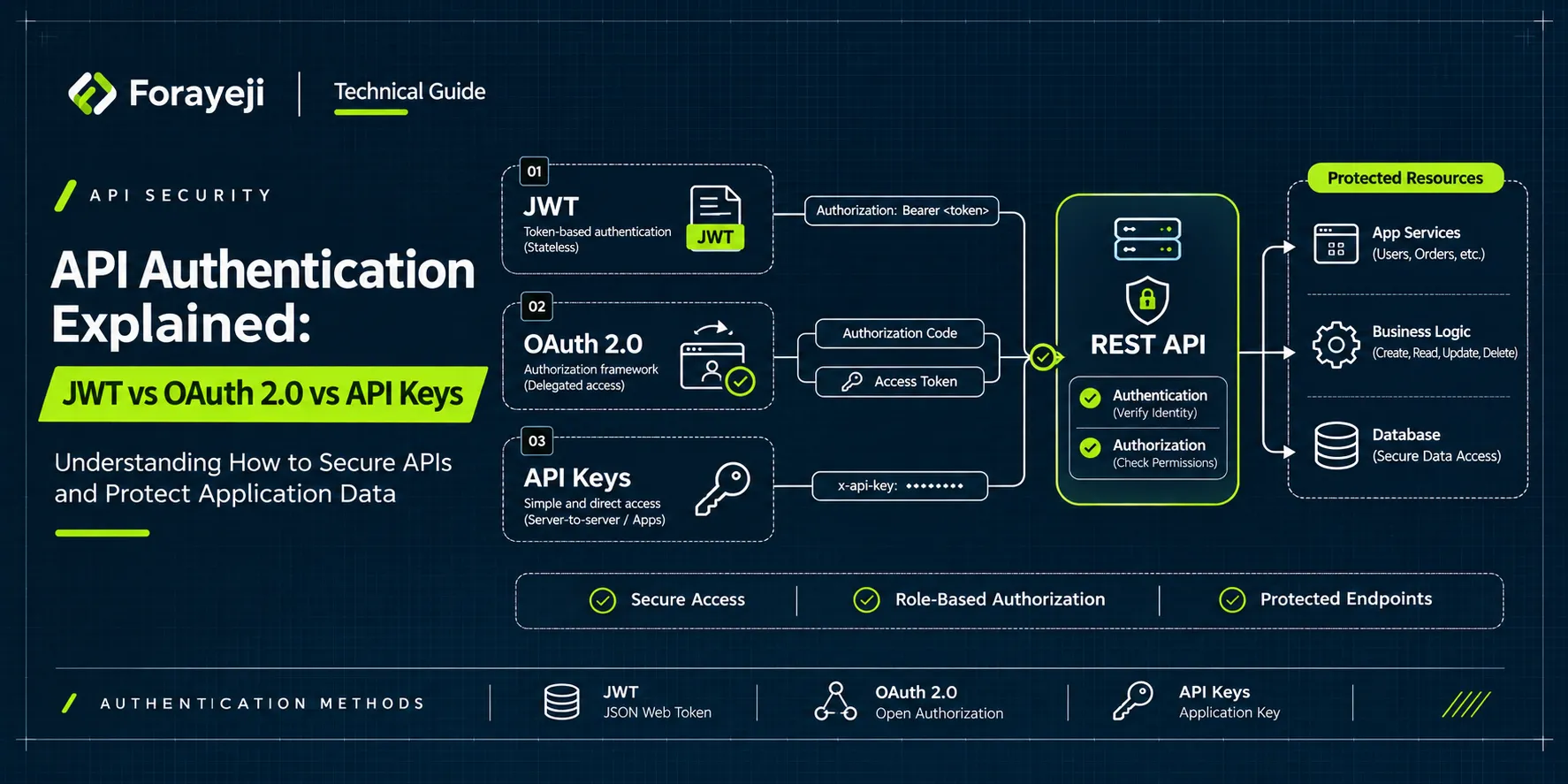
Every API has to answer two questions on every request: who is calling? (authentication) and what may they do? (authorization). When teams talk about API authentication, three terms keep coming up: JWT, OAuth 2.0 and API keys. They are often compared as if they were three brands of the same product. They aren't. A JWT is a token format. OAuth 2.0 is a protocol for handing out access. An API key is a shared secret. Most serious systems use more than one of them, each where it fits.
Below we explain each one, where it shines and where it goes wrong, and how we use all three in the Laravel and Next.js platform our client projects are built on.
API keys: simple, and easy to get wrong
An API key is a long random string that the caller sends with every request, usually in a header. The server looks it up and knows which application is calling.
Where API keys fit:
Server-to-server calls, such as your backend talking to an SMS or email provider.
A partner integration where one company's system calls another's.
Where they go wrong:
A key identifies an application, not a person. It can't tell you which employee pressed the button.
Keys rarely expire. A key leaked two years ago may still work today.
Keys leak easily: committed to Git, pasted into front-end code, or sent in URLs that end up in server logs.
One key often has far more power than the caller needs.
How our kit handles keys. Every third-party credential (SMS, mail, Facebook, Google and more) is treated the same way:
It is encrypted in the database and write-only. Once saved, no screen and no API response ever shows it again. The admin sees only that it is configured, its last four characters and when it was changed.
Changing a credential needs its own permission, plus re-entering your password (step-up authentication). Every change is written to a tamper-evident audit log.
All logs pass through a central redactor, so tokens, keys and
Authorizationheaders never end up in a log file or an error report.Keys go in a request header or body, never in a URL.
JWT: a token format, not a login system
A JSON Web Token (JWT) is three base64url parts joined by dots: a header (which algorithm signed it), a payload (claims such as user ID, scopes and expiry) and a signature. Anyone holding the right key can check the signature and trust the payload without a database lookup. That is the big attraction: validation is fast and "stateless".
Where JWTs shine:
Short-lived assertions between servers ("this request comes from service A, valid for five minutes").
Identity tokens in OpenID Connect, where a provider tells your app who signed in.
Where they go wrong:
Revocation. A signed JWT stays valid until it expires. If a laptop is stolen or an employee leaves, you can't easily kill that token early, unless you keep a block list, which brings back the database lookup you were trying to avoid.
The payload is readable. Signed is not encrypted. Anything you put in a JWT can be read by whoever holds it.
Storage. Many tutorials put JWTs in
localStorage, where any injected script (XSS) can steal them.Implementation traps, such as accepting
alg: none. Use a well-tested library; never write your own checks.
Where our kit uses JWT. In exactly one place, and it is the textbook use case. To send mobile push notifications through Firebase, our server signs a short-lived JWT (RS256) with a Google service-account key and exchanges it for an OAuth access token. That token is cached until shortly before it expires. Here the JWT is a signed claim between two servers, which is exactly what JWTs are good at.
Where we deliberately don't use it: user sessions. When an admin signs a device out, locks an account or removes someone's role, that change must apply on the next request, not when a token happens to expire. So our user sessions are checked on the server every time.
OAuth 2.0: letting one system act for you, without your password
OAuth 2.0 solves a different problem: delegation. You want an app to post to your LinkedIn page or read your Google Search Console data, but you should never give that app your LinkedIn or Google password.
The flow most web apps should use is the authorization code flow:
Your app sends the person to the provider (Google, LinkedIn, Facebook) with the scopes it needs, such as "post on behalf of the organization".
The person signs in at the provider and approves.
The provider sends the browser back with a short-lived code.
Your server exchanges that code, using its own client secret, for an access token, and sometimes a refresh token for getting new access tokens later.
Two details make it safe: the state parameter, which ties the reply to the request your app started, and PKCE, which proves the code is being exchanged by the same app that asked for it.
OpenID Connect adds identity on top of OAuth 2.0; that is what "Sign in with Google" uses.
How our kit uses OAuth 2.0. "Connect Google" for Search Console, Analytics and Google Drive backups, social sign-in, and the LinkedIn page connection we are adding to the platform all follow the same pattern:
A one-time state, bound to the organization and the person who started the connection, valid for ten minutes and kept on the server.
PKCE wherever the provider supports it.
The code is exchanged by the server. Tokens never reach the browser.
Refresh tokens are stored encrypted as that organization's own credential. Access tokens are cached, encrypted, for less than their lifetime.
Disconnecting revokes the token at the provider, not just in our database. LinkedIn tokens, for example, last 60 days, so the dashboard warns before a connection runs out.
What our kit uses for its own users
For people signing in to the websites and dashboards we build, the platform uses Laravel Sanctum, in two modes:
Browsers (the admin dashboard and the public site) use secure,
HttpOnlysession cookies with CSRF protection. No token is ever readable by JavaScript, so an injected script has nothing to steal.Mobile apps and third-party clients get personal access tokens. These are random, opaque strings, stored hashed on the server, each with explicit abilities (scopes) and an expiry. An app renews its token through a rotation endpoint that revokes the old one in the same database transaction and writes the renewal to the audit log. Every signed-in device is listed and can be revoked on its own.
Around that core: two-factor authentication (TOTP plus recovery codes), step-up authentication for sensitive actions, Argon2id password hashing with a breached-password check, account lockout with growing delays, and rate limits that are editable in the database but held above a minimum in code, so nobody can switch them off from a settings screen.
JWT vs OAuth 2.0 vs API keys, side by side
API key: a shared secret that identifies an application. Revoke it by deleting the key; it lives until it is rotated. Best for server-to-server calls and partners. Main risk: leaks and access that is too broad.
JWT: a signed token format that says whatever its claims say. Hard to revoke before it expires; usually lives minutes to hours. Best for assertions between services and identity tokens. Main risk: it cannot be cancelled, and it is stolen from
localStorage.OAuth 2.0: a protocol for delegated access, letting an app act for a user or organization. Revoke the token at the provider; the access token is short-lived, the refresh token longer. Best for connecting to Google, LinkedIn or Facebook. Main risk: misconfigured redirects, or a missing state or PKCE.
Which one should you choose?
Users of your own web app: secure session cookies, not JWTs in
localStorage.Your own mobile app: short-lived opaque tokens with scopes, rotation and per-device revocation, or OpenID Connect if many apps share one login.
Acting in someone's Google, LinkedIn or Facebook account: OAuth 2.0 authorization code flow, with state and PKCE.
Server-to-server or a partner integration: an API key with narrow scope and regular rotation, or signed requests.
Webhooks: an HMAC signature with a timestamp. Our kit signs every outgoing webhook and verifies every incoming one before doing anything with it.
Mistakes we find in projects we take over
When clients bring us an existing system, we keep finding the same problems:
Tokens stored in
localStorage, one XSS bug away from account takeover.JWTs that live for weeks with no way to revoke them.
API keys hard-coded in front-end code or committed to Git.
Secrets sent in URLs, and therefore sitting in server logs.
No rate limit on sign-in, password reset or one-time codes.
Each is cheap to prevent at the start and expensive to fix after an incident.
Conclusion
JWT, OAuth 2.0 and API keys are not rivals; they do different jobs. Use API keys for applications, OAuth 2.0 for delegated access and JWTs for short-lived signed claims between servers. Protect your own users with server-checked sessions you can revoke the moment something changes, and wrap it all in encryption, rate limits, audit logs and two-factor sign-in. That's how we build every project on our platform.
If you are planning an API, a web app or a mobile app and want authentication done right from day one, read our REST API development guide, see our Laravel application development and Next.js development services, or get in touch for a fixed-price quote.
No comments yet. Be the first.
Keep reading
More articles
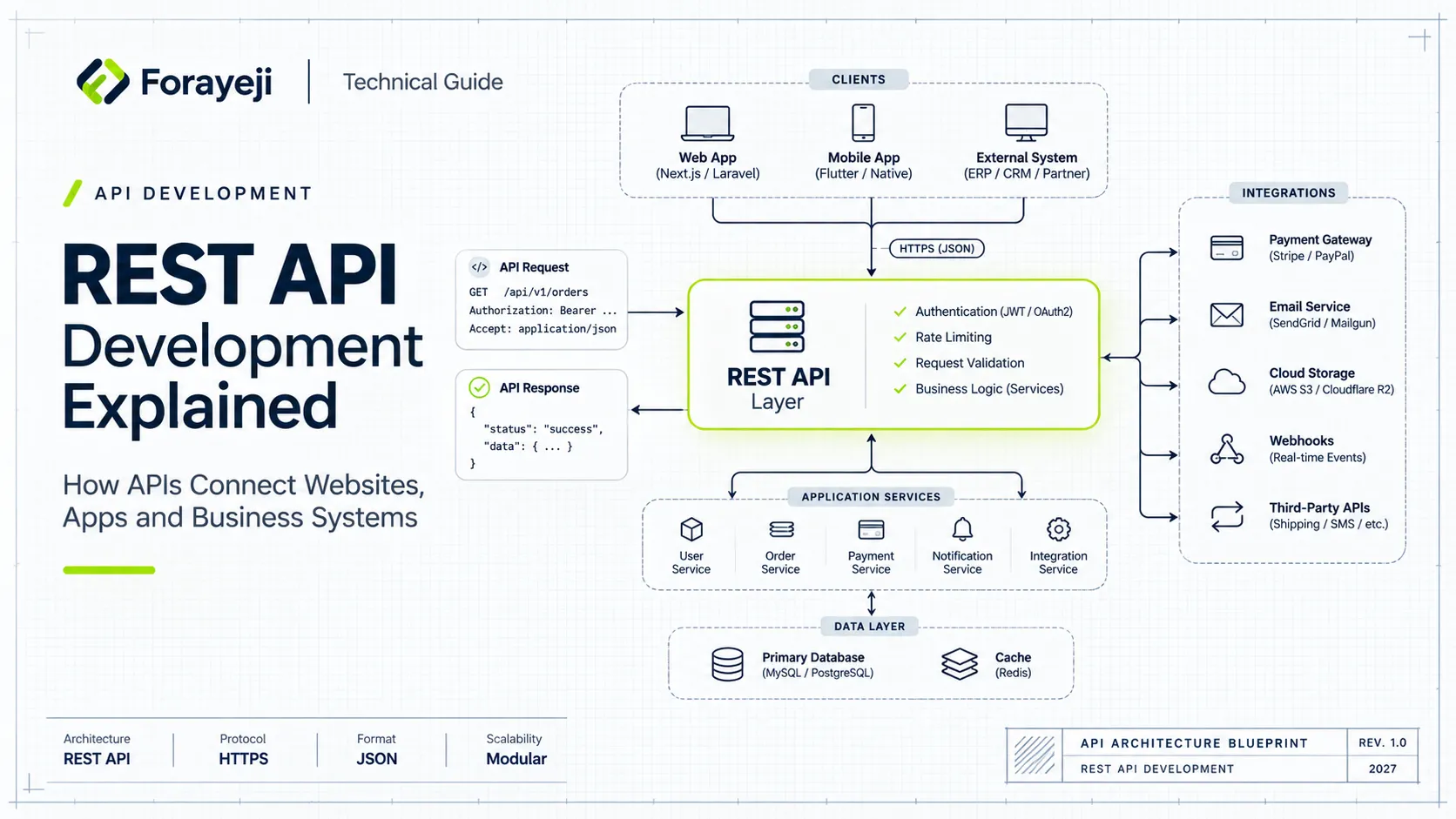
REST API Development Explained: How APIs Connect Websites, Apps and Business Systems
REST API development explained in plain English: how APIs let your website, mobile app and business systems share one source of truth, and the versioning, error, security and reliability rules we follow on every API we build.

How to Choose a Reliable White-Label Web Development Partner in 2027
Choosing a white-label web development partner? Check these eight things in 2027: proof of similar work, fixed quotes you can mark up, communication, brand protection, code ownership, process and support, plus the red flags and questions to ask before you sign.

WordPress vs Custom Website Development: Which Is Right for Your Business in 2027?
Choosing the right technology for your business website is one of the most important decisions you will make before starting development. A website is more than an online presence. It can become your primary marketing channel, a lead-generation platform, a customer portal, or even an essential ...

How Much Does a Website Cost in 2027? A Plain-English Guide
If you've ever asked multiple web development agencies for a quotation, you've probably received very different answers. One agency might provide a relatively small estimate, another might quote several thousand dollars, while someone else might want to discuss your requirements ...
Next step
Have a project in mind?
Tell us what you're trying to achieve. We reply within one working day with honest advice and, if it fits, a written plan with a fixed quote.